

How CRM Helps Law Firms Manage Clients
Learn how a legal CRM centralizes client details, communication history and follow-ups while connecting clients with relevant cases and tasks.
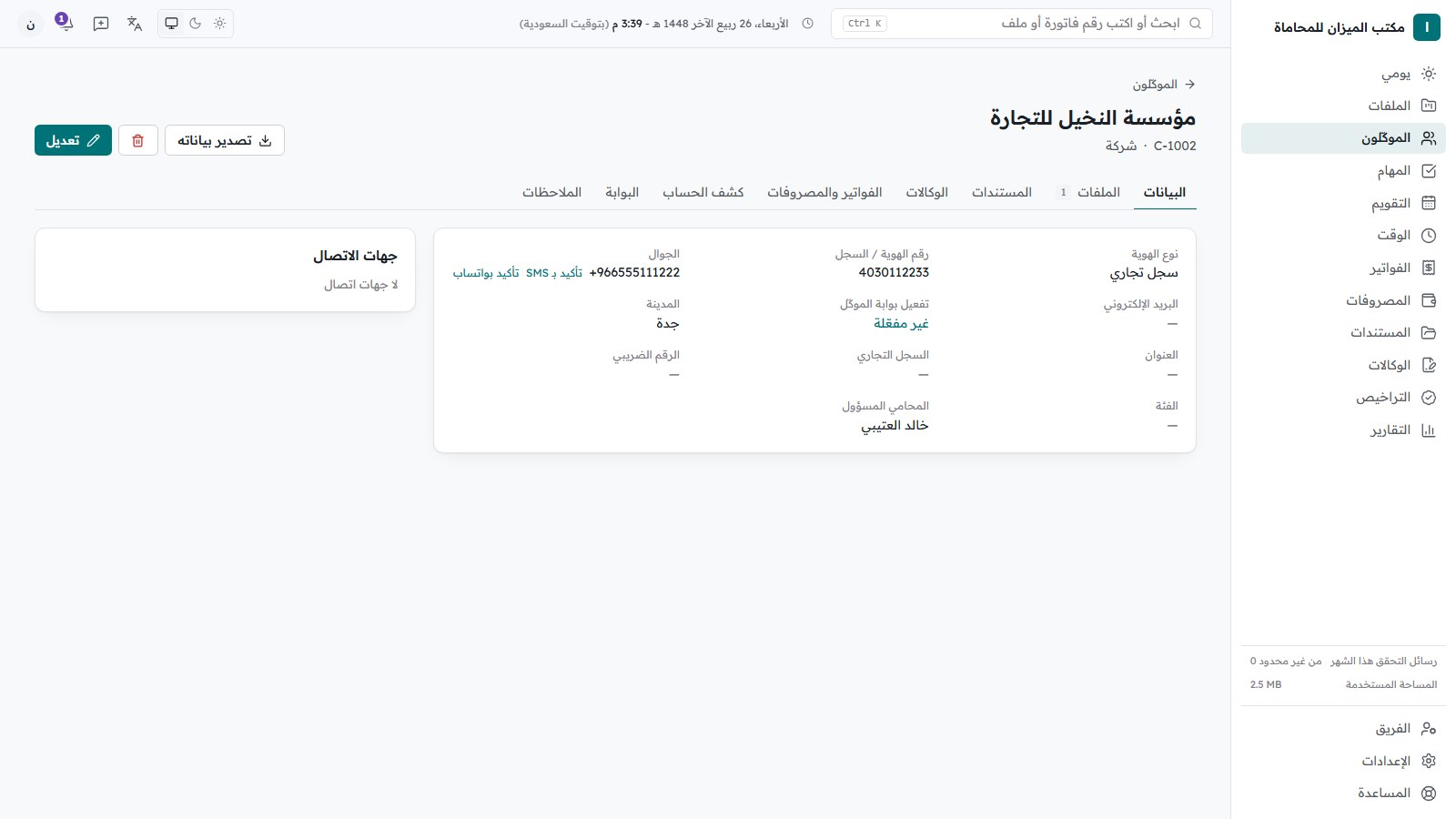
How CRM Helps Law Firms Manage Clients
Clients are at the center of many law firm operations. But storing a phone number and name is not enough. The firm needs the context around the relationship.
The Problem with Traditional Client Management
Client information may be split between a spreadsheet, email, messaging applications, documents, and case folders.
This makes it harder to see the full picture.
What Does CRM Provide?
A CRM creates a central client record that can connect to cases, tasks, appointments, documents, and follow-ups.
When a team member opens the client record, the related information can be available without searching through multiple systems.
Better Follow-Ups
CRM makes follow-up more structured. Teams can record the latest communication, next action, responsible employee, and expected follow-up date.
Better Client Experience
When staff can quickly access current information, responses become more organized and the client is less likely to repeat information unnecessarily.
Connecting Clients to Cases
A client may have several cases. A CRM should allow the firm to maintain multiple related matters while keeping the client's overall history visible.
Sijilaw
Sijilaw helps law firms move from simply storing client data to managing the workflows connected to those clients in one centralized environment.
Conclusion
Professional client management starts with one reliable source of information. As a firm grows, centralized client data becomes increasingly valuable.
Cases, hearings, clients and invoices in one place.
Try Sijil freeRelated articles
Law Firm Fee Pricing and Collection: A Practical Guide
Learn how law firms can document fee agreements, plan billing milestones, reconcile payments, handle follow-ups, and evaluate software for collection.
Power of Attorney Tracking and Expiry Reminders
Learn to register powers of attorney, link them to client matters, review key dates, and manage reminders without assuming a universal legal expiry rule.
Law Firm Client Portals: A Practical Setup and Workflow
Plan a law firm client portal, organize requests and permissions, protect shared documents, and evaluate software without assuming unverified features.